
Podcast Player App - Podbean
Podbean - Podcast & Radio & AudiobookMusic & Audio
4.628.86K Reviews
- Version
- 9.9.3
- Installs
- 10.00M
- Age Rating
- Teen
Screenshots
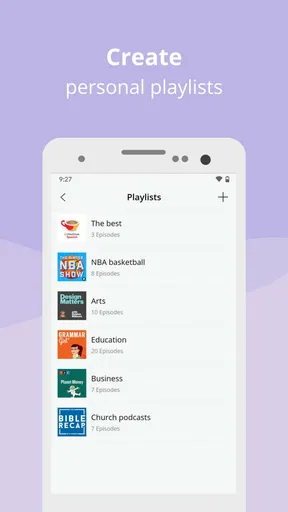
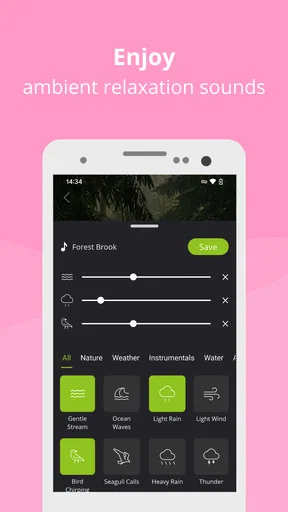
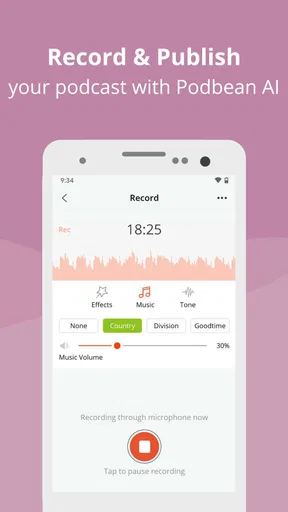
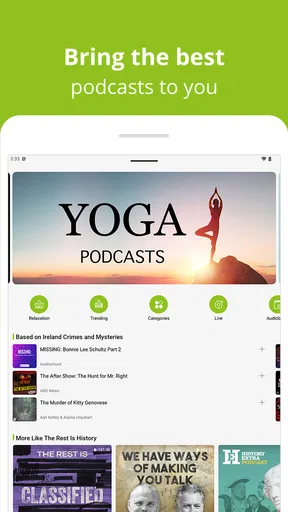
Our Review of Podcast Player App - Podbean
 Analysis by Appyee
I usually judge a podcast app by one simple test: can I find something worth hearing, start it quickly, and return to it later without turning listening into a chore? Podbean makes a strong first impression because it combines podcasts, radio, livestreams, and audiobook listening in one music-and-audio app. I found it most useful when I wanted a broad listening hub rather than a tool limited to one podcast feed.
It is free to install, carries a Teen age rating, and comes from Podbean - Podcast & Radio & Audiobook. The app has been available since July 21, 2015, and its current version is 9.9.3, with support beginning at iOS 11. Those details matter mainly because they make the app approachable for many users, while the wide range of content can make the first screen feel busier than a minimalist podcast player.
What to expect when you open Podbean
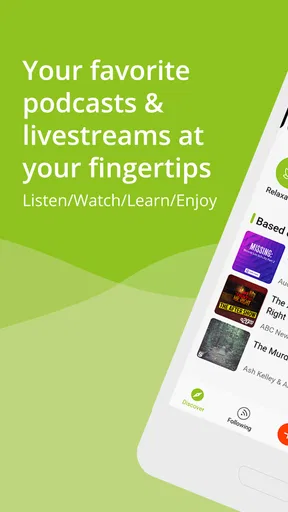
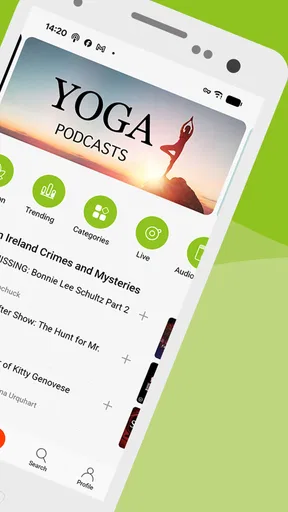
My first impression is that Podbean is designed for discovery as much as for playback. Instead of assuming I already know which shows I want, it gives me a way to browse popular podcasts and explore live audio. That makes it a comfortable starting point for someone who has never built a listening routine, but it may feel less focused if I only want a clean list of subscriptions and nothing else.
The app has earned a 4.6 average from around 216 thousand ratings and has passed 10 million installs. I would not treat those figures as a guarantee that every part of the experience will suit me, but they do suggest that Podbean is a well-established choice rather than an obscure player with a tiny audience.
In everyday use, I see three different reasons to open it. I can search for a particular show, browse until a subject catches my attention, or use it as a place for live audio when a normal podcast episode is not what I want. That variety is the app’s main strength, although it also creates the first important trade-off: more options can mean more decisions.
For a first-time listener, I recommend opening the app with a small goal. Decide whether you want to find one show, sample a topic, or listen to live content. If you try to organize an entire audio life immediately, the choices can become distracting. A narrow first task makes the interface easier to understand and gets you to a meaningful result faster.
Who will feel at home here
Podbean suits listeners who move between several kinds of audio. I can imagine using it during a commute for a regular podcast, switching to a livestream while doing household work, and returning to spoken-word content later in the day. It is also a good fit for someone who wants discovery built into the same place as playback instead of finding shows through one service and listening through another.
It is less convincing for a person who wants the most stripped-down possible player. If my only requirement is a quiet screen showing a carefully managed queue, a simpler podcast app may feel calmer. Podbean’s wider scope is useful when I want choices, but unnecessary when I already have a fixed list of shows and do not care about radio, live audio, or broader discovery.
Setting up a useful listening routine
After installing the app, I would avoid trying to configure everything at once. I would first look for a familiar podcast or search for a subject I genuinely enjoy. This is more productive than browsing random categories because it gives me a reference point for judging how the app handles show pages, episodes, and playback.
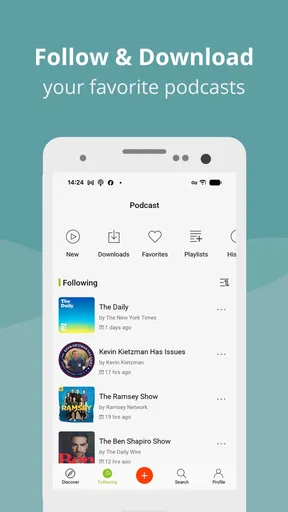
Once I find a promising show, the next sensible step is to follow it or otherwise make it easy to return to. The exact value of this step is practical: I do not want to repeat the same search every time I open Podbean. A small, intentional collection is easier to manage than subscribing to every interesting result during the first session.
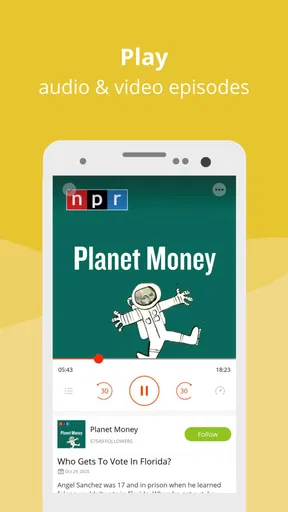
I also recommend testing the player with an episode before building a large queue. Pay attention to where the controls are, how easily you can pause and resume, and whether the current episode is clear when you return after a break. These small checks answer a more important question than the number of discovery options: will the app fit the way you actually listen?
One useful workflow is to separate discovery from regular listening. I might browse when I have time, save only the shows that genuinely interest me, and then use the app later as a focused player. This prevents my daily listening screen from becoming a permanent recommendation page. It also makes it easier to notice when a show is no longer relevant to me.
The first successful action
For me, the first real success is not installing the app or opening a category. It is finding one episode, starting playback, and knowing exactly how to return to that show later. A new user can reach that point quickly by searching for a known title or choosing one subject rather than exploring everything at once.
That first session is also the best time to test whether Podbean’s content mix is an advantage. If I enjoy moving from an on-demand podcast to a live audio option, the app feels more valuable than a basic player. If I never use anything beyond standard episodes, I may still appreciate it, but I should not expect its extra content areas to improve my routine automatically.
A practical habit is to choose a short listening window for the first test. I might play an episode while making breakfast or walking around the block. If I can pause, leave the app, and return without losing confidence about what I was hearing, I have learned more than I would by spending half an hour browsing menus.
Another non-obvious benefit of this approach is that it exposes my real preference for discovery versus control. Some listeners enjoy seeing new material whenever they open an app. Others prefer a predictable queue. Podbean gives me room for the first style, but I need to create my own boundaries if I prefer the second.
Where new users can become confused
The biggest potential confusion is the difference between finding content and managing content. A recommendation or search result may be interesting, but that does not necessarily mean it belongs in my regular rotation. I found it helpful to treat discovery as a temporary browsing area and make a deliberate choice before adding a show to my personal listening routine.
The mix of podcasts, livestreams, and audiobooks can also blur expectations. These formats are not interchangeable. A podcast episode is usually something I choose and resume on my own schedule, while a livestream may reward joining at the right moment. If I open Podbean expecting every piece of audio to behave like a downloaded episode, the experience can feel inconsistent even though the variety is intentional.
Another point worth understanding is the difference between a free app and a completely cost-free experience. Podbean is free to install, but it includes in-app purchases ranging from $0.99 to $99.99 per item. I would approach optional purchases carefully and decide first whether the free listening experience already meets my needs. The presence of purchases does not make the app unsuitable, but it does mean I should pay attention before confirming anything.
The Teen content rating is another reason I would not hand the app to a younger child without checking how they use it. A rating is not a personal recommendation for every listener. Anyone choosing content for a family member should consider the individual shows and live material they may encounter, rather than assuming that the app’s general category tells the whole story.
Version 9.9.3 is the version I would expect to see when using the current app experience, while iOS 11 is the stated minimum operating system. If the app does not install on an older device, the operating-system requirement is the first thing I would check. This is a more useful troubleshooting step than repeatedly reinstalling or assuming the problem is with the podcast itself.
Small habits that make the app easier
I would keep my followed content selective. A long list can look productive, but it makes discovery less meaningful and makes it harder to remember why I chose each show. Following only the programs I expect to revisit gives the app a clearer role: a dependable home for regular listening, with browsing available when I want something new.
I would also use different moments for different tasks. Searching for shows is best done when I am not rushing. Playback is best tested during an ordinary activity. Live audio deserves a separate trial because its appeal depends more on timing and participation than on simply pressing play. Treating these as three separate experiences makes the app feel less confusing.
When I am comparing Podbean with a typical built-in podcast service, I see a clear difference in emphasis. A basic alternative may be better when I already know my subscriptions and want a quiet, predictable interface. Podbean is stronger when I want podcasts alongside livestreams and audiobook-oriented listening, or when I want discovery to be part of the same app.
Compared with a music-first service, Podbean feels more appropriate for spoken content and podcast exploration. A music app may win for playlists and songs, while Podbean makes more sense when my listening day revolves around episodes, shows, and live audio. I would choose based on what I play most often, not on which app has the longest feature list.
Who should choose it, and who should skip it
I would recommend Podbean to a first-time podcast listener who wants help discovering material, a regular listener who also enjoys live audio, and anyone who prefers keeping several spoken-audio formats in one place. The free entry point makes it easy to test without committing money immediately, and the large user base gives the app the feel of a mature service.
I would be more hesitant to recommend it to someone who dislikes browsing, wants no optional purchase prompts, or already has a perfectly organized library elsewhere. In those cases, the extra discovery and content variety may add clutter rather than value. A focused alternative could be the better choice if I care more about a minimal queue than about finding new things.
I would also skip it for a child unless an adult has considered the Teen rating and the kinds of content that might be selected. The app is not difficult to use, but ease of access is not the same as suitability for every age or listening situation.
A realistic day with Podbean
Imagine I am preparing for work and want something more engaging than music. I open Podbean, select a show I already know, and start an episode instead of spending the morning searching. Later, during a break, I browse for a different subject and save one promising program for another day. In the evening, I try a livestream when I want audio that feels more immediate than a recorded episode.
That routine shows both sides of the app. It can adapt to different moods without requiring another service, but it also asks me to make choices. If I want every session to begin with a perfectly prepared queue, I need to maintain that queue myself. If I enjoy choosing based on the moment, Podbean’s range becomes a genuine advantage.
The most useful advanced habit is to review my listening choices after a week. I would notice which shows I actually return to, which discoveries were one-time experiments, and whether live content has a real place in my routine. This prevents the app from becoming a storage space for good intentions and helps me shape it around actual behavior.
My recommendation after using it
Podbean is a capable free music-and-audio app with a clear personality: it wants to be more than a basic podcast shelf. I like it because I can move between podcast discovery, regular playback, livestreams, and audiobook-related listening without treating each format as a separate destination. That breadth is meaningful for curious listeners, not just decoration.
Its weaknesses are mostly connected to the same design choice. More content types can make the first visit feel less direct, and a listener who wants strict simplicity may prefer another player. Optional in-app purchases also deserve attention, especially for people who want an entirely uncomplicated free experience.
My advice to a new user is simple: start with one known show, complete one short listening session, and only then explore the wider catalog. If that path feels natural, Podbean is likely to become a useful everyday companion. If the extra choices distract you from the few shows you already love, a narrower podcast app may serve you better.
Overall, I see Podbean as a good recommendation for people who want podcast discovery with room for live audio, rather than a bare player that does one job and stays out of the way. It earns its place by giving curious listeners somewhere to explore, while still being practical enough for a simple morning episode. Just keep your followed content intentional, understand the difference between free installation and optional purchases, and choose it for its variety rather than expecting minimalism.
Verdict
Strengths of Podcast Player App - Podbean
- Large podcast catalog with shows across many genres and languages.
- Allows offline downloads for listening without an internet connection.
- Playback speed controls help shorten long episodes.
- Personalized recommendations make discovering new podcasts easier.
- Supports live audio shows and interactive listener features.
Limitations of Podcast Player App - Podbean
- Some advanced features require a paid subscription.
- The interface can feel busy for first-time users.
- Free listening may include advertisements and promotional content.
- Download management can use significant device storage.
- Audio quality and episode availability vary by podcast publisher.
Similar Picks in This Category
View All
YouTube Music
Google LLC4.4

Samsung Music
Samsung Electronics Co., Ltd.3.8

Spotify: Music and Podcasts
Spotify AB4.3

JioSaavn - Music & Podcasts
Saavn Media Limited4.3

Lark Player:Music Player & MP3
Lark Player Studio - Music, MP3 & Video Player4.6

StarMaker: Sing Karaoke Songs
SKYWORK AI PTE. LTD.4.3
Frequently Asked Questions
What is Podbean, and what can I use it for?
Podbean is a podcast listening and publishing platform that lets you discover shows, subscribe to favorite programs, and stream or download episodes for later listening. Its catalog covers news, comedy, education, true crime, business, sports, and many other categories. The app also includes tools for podcast creators, making it useful for both listeners and people who want to produce their own audio content.
Is Podbean free to download and use?
Podbean can be downloaded for free on Android and iOS, and many of its basic listening features are available without payment. However, certain functions may require a subscription or in-app purchase, depending on the plan and region. Premium content, advanced creator tools, additional storage, or an ad-free experience may not be included in the free version, so check the current pricing before subscribing.
Can I listen to podcasts offline with Podbean?
Yes, Podbean allows users to download podcast episodes for offline listening, which is particularly useful during flights, commutes, or in areas with unreliable mobile coverage. After downloading an episode over Wi-Fi or mobile data, you can access it from the app without an active internet connection. Available storage and download options may vary depending on your device and account settings.
Does Podbean support live podcasts and interactive features?
Podbean supports more than traditional on-demand podcast playback. Depending on the show and the creator’s setup, listeners may be able to join live audio broadcasts, interact through chat, and participate in real-time discussions. Some podcasts also offer listener communities, comments, or other engagement features. Availability can differ between programs, countries, and app versions.
Is Podbean suitable for creating and publishing podcasts?
Podbean is designed for podcast creators as well as listeners. Through its creator tools, users can record or upload audio, organize episodes, add titles and descriptions, and publish shows to an audience. More advanced features, such as expanded hosting resources, analytics, monetization, or live-streaming options, may depend on the selected plan. Beginners should review the available limits before starting a podcast.
